
Media Library
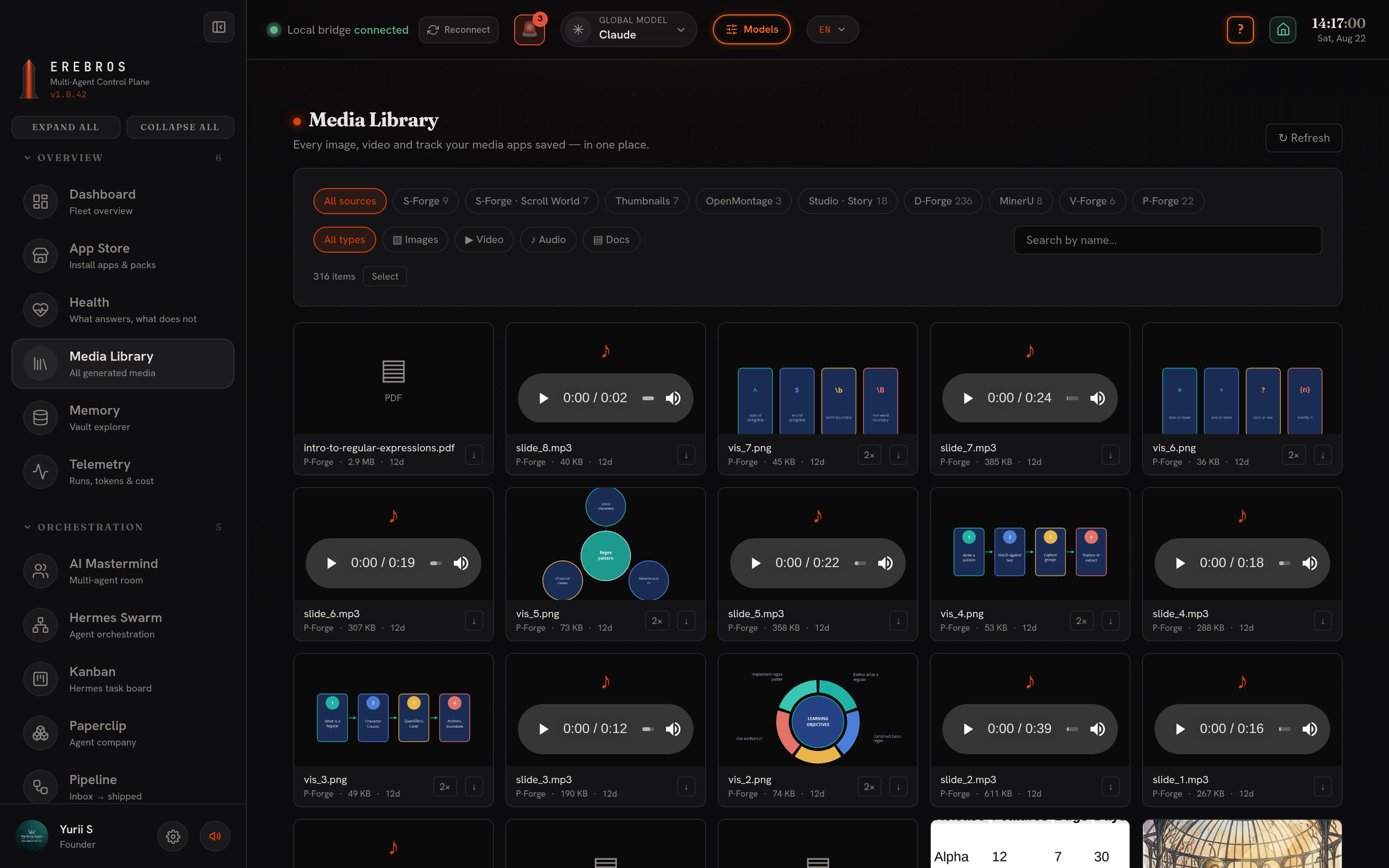
Media Library is the hub, a read-only grid over everything your media apps have generated into the vault, at /media-library. It is the first entry of the sidebar’s Overview group, and every file field in M-Forge has a + Media Library button that pulls from it.
What it does
Section titled “What it does”Collects the output of your media apps, S-Forge, X-Forge, G-Forge, P-Forge, every M-Forge tab (Thumbnails, Music, OpenMontage, Compose, Studio Story / Cut / Dub, watermark removal, the ffmpeg lab) and D-Forge, into one grid, newest first. Deleting a file here moves it to the vault’s trash first, with undo; Health’s duplicate finder routes through the same guard.
Key functions
Section titled “Key functions”- Source chips (with counts), filter by which app made the file.
- Type chips, narrow to Images / Video / Audio / Docs.
- Search box, filter by file name.
- Lightbox, click an image for a full-size view; play video and audio inline (seeking works).
- Download, save any file with the ↓ button.
Setup and dependencies
Section titled “Setup and dependencies”None. Media Library only reads your vault (~/Obsidian/Erebros or EREBROS_VAULT_DIR). Folders that don’t exist yet are simply skipped.
Where output goes
Section titled “Where output goes”Media Library does not produce output, it surfaces files other apps already wrote into your vault.
- Only the 800 newest files are listed; use the source, type and name filters to reach older ones.
- Pull a file back into work from M-Forge’s + Media Library picker instead of hunting on disk.