
OpenCode
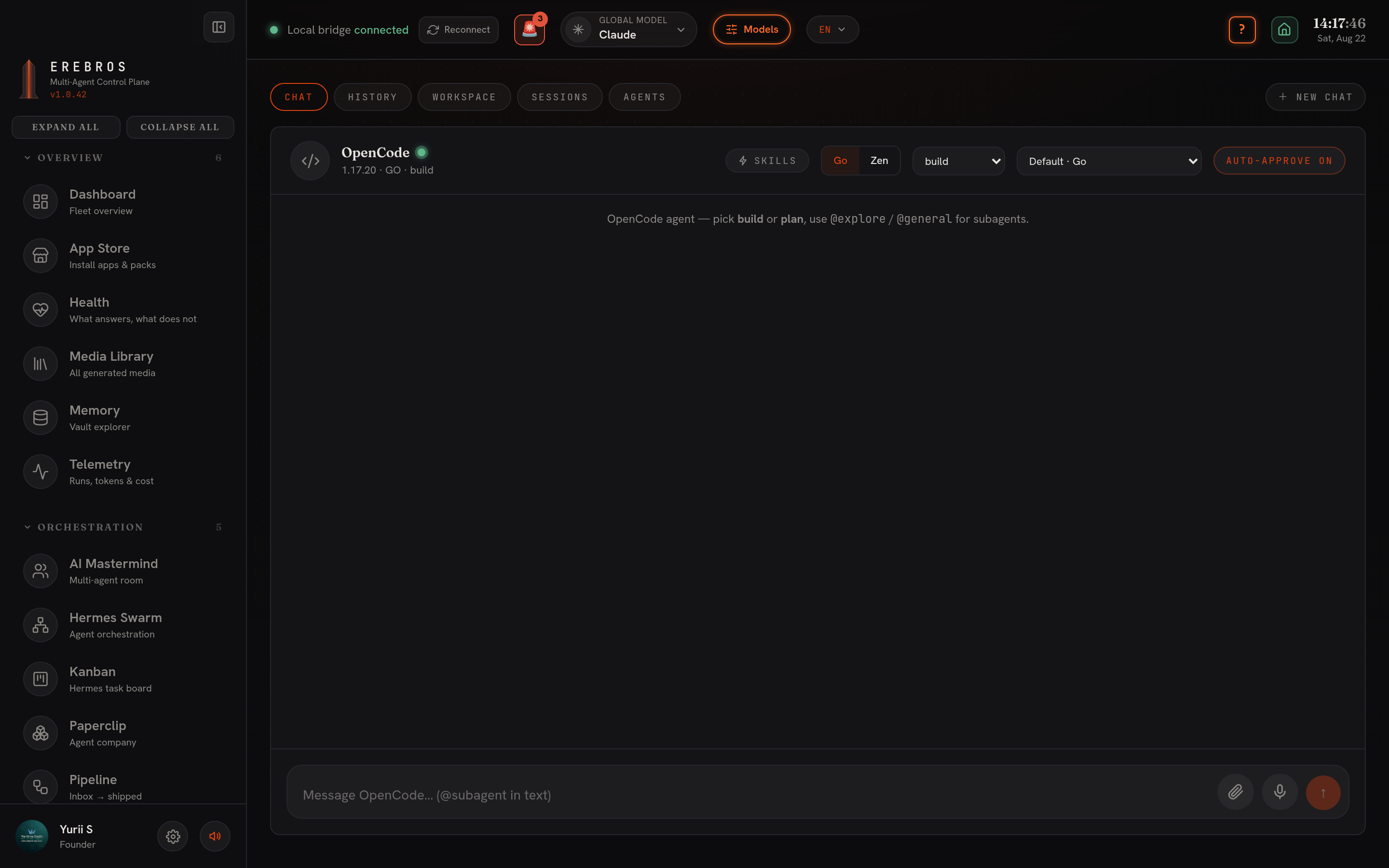
OpenCode is the console for the OpenCode agent CLI, at /agents/opencode. It is driven through the CLI’s local server (opencode serve), which Erebros spawns for you.
What it does
Section titled “What it does”Runs the OpenCode agent through its local server and exposes five tabs:
- Chat, send a prompt; the run streams back.
- History, reopen past threads.
- Workspace, browse outputs.
- Sessions, lists OpenCode’s own server-side sessions, including sub-agent children.
- Agents, lists the agents and models the server reports.
The model picker is filled live from whatever providers you are logged in to. If the CLI is missing the console says so plainly instead of erroring.
Setup / CLI / keys
Section titled “Setup / CLI / keys”- Requires the OpenCode CLI (
opencode). Check withcommand -v opencode; install withnpm i -g opencode-ai(docs). The package ships one bun-compiled binary namedopencode.exeon every platform (it is the Linux ELF on Linux) and npm links it into its own global bin. Ifwhich opencodecomes back empty, symlink it onto PATH:ln -sf "$(npm root -g)/opencode-ai/bin/opencode.exe" ~/.local/bin/opencode. - Auth: either
opencode auth login, or setOPENCODE_API_KEYin.env.local(one key covers both catalogs;OPENCODEZEN_API_KEYis an alias), optionally withOPENCODE_PLAN=gofor the Go subscription. - Erebros starts
opencode serveon:4096itself; on Windows and Linux it reads.env.localand pushes the Zen key into serve via the SDK.
- Toggle OpenCode in Settings → Agents; hiding it removes it from the sidebar, Dashboard Fleet and Fleet radar but does not stop
opencode serve. - Health check:
curl -s 127.0.0.1:4096/global/health.