
P-Forge
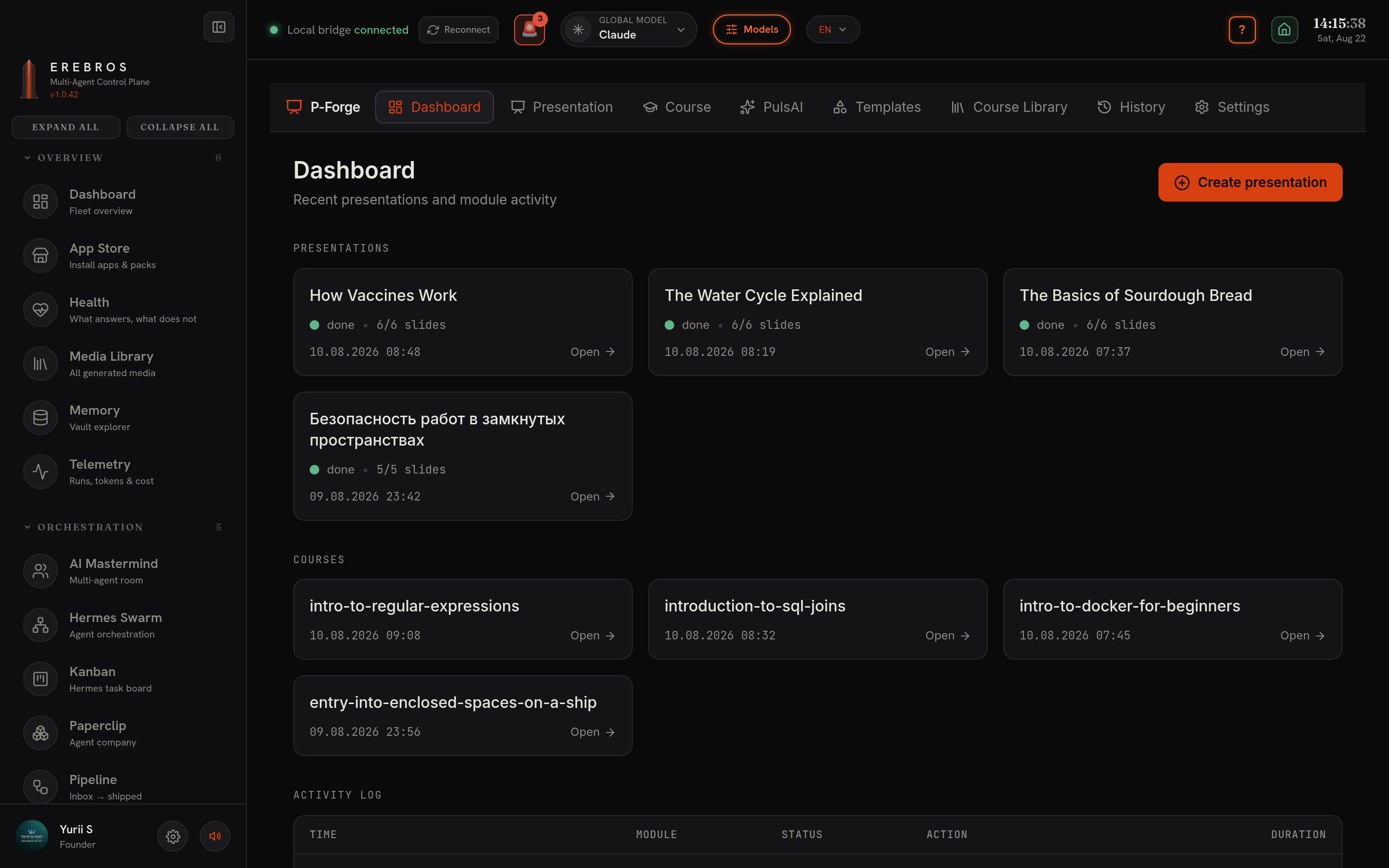
P-Forge (formerly Course Gen) turns a topic or syllabus into a finished deck, at /p-forge. It produces either a narrated, animated course or a plain presentation, and saves both into your Obsidian vault.
What it does
Section titled “What it does”Courses and presentations are siblings under one P-Forge root:
~/Obsidian/Erebros/P-Forge/Courses/<slug>/~/Obsidian/Erebros/P-Forge/Presentation/<slug>/
Pick the mode with the Course Generator / Presentation Generator cards at the top of Generate (and in Settings):
- Course Generator, modules plus per-word-synced voiceover plus animation (the classic pipeline).
- Presentation Generator, a flat set of slides, a theme, an export format, and no voiceover (generation skips narration entirely; faster and key-free).
- Generate tab, pick the mode, type a topic, or paste a full syllabus / day-by-day plan (unlimited modules and slides; “Auto-size” builds one module per listed item). Click Outline (free, Kimi drafts the module/slide structure for you to review), then Generate.
- It plans and writes the course with your chosen model per step (Kimi by default), renders an infographic per slide, narrates every slide, embeds the audio so each slide auto-plays, adds native PowerPoint entrance animations synced to the narration, and writes speaker notes. Output: one self-contained
.pptxplusoutline.md,syllabus.mdandcourse.jsonin the course folder. - Library / History, re-open or re-assemble past courses. Re-assembly is free, assets are cached.
In-app preview
Section titled “In-app preview”Every deck in the Library has a ▸ PREVIEW button that opens a full-screen viewer: thumbnail rail, live slide rendering, Play narration (per-segment highlight), speaker notes, animation timeline and auto-advance. Content slides are drawn as native animated cards, real slides, not rendered pictures, so text stays sharp and the animation timeline is live.
From the viewer header you export to:
- .pptx
- .odp (via LibreOffice)
- SCORM 1.2, a self-contained HTML5 package for any LMS.
- Standalone narrated HTML deck (narrated courses only), the course packaged as the deck it already is, playable in any browser.
Google Slides is present but disabled until Google sign-in is wired.
Themes & templates
Section titled “Themes & templates”- Theme picker (Presentation mode), built-in Navy&Gold / Midnight&Cyan / Graphite&Amber, plus any JSON theme you drop in
~/.erebros/coursegen/themes/. One theme colours both the preview and the.pptx. - Template (Settings), takes a
.pptx/.potxbase (local path or URL) and an aspect ratio (16:9 / 16:10 / 4:3).
Deck-template library
Section titled “Deck-template library”Beyond the colour themes, P-Forge ships a library of fully-designed deck templates, Executive Dark, Neon Deck, Gold Noir, Nordic Sea, Data Report, Minimal Light, Paper Sketch and more. Each is a complete layout system (title, section, content, quote, stat and image slides) that any engine can fill. Pick one in Templates; images can be drawn onto slides by any image engine you have configured.
Settings
Section titled “Settings”Shared live with the Generate tab:
- Per-step model pickers for the text pipeline, Step 1 Module planning, Step 2 Slide outline, Step 3 Slide content. Each offers the same concrete model lists as the AI Mastermind’s ⚙ Models panel (Claude Opus 4.8 / Sonnet 5 / Haiku 4.5 / Fable 5 · Kimi K2.x + Moonshot v1 · Antigravity Gemini/Claude/GPT-OSS · Codex GPT-5/o-series · every installed Ollama model). A single-model user leaves them on Kimi; a multi-model user mixes per step.
- Voice engine, ElevenLabs · Google · Local Kokoro · Local Supertonic, each with a Listen preview per voice.
- Infographic engine, matplotlib (default; fast, free, exact text) · Codex CLI (free, SVG) · Kimi · Claude · fal.ai · Google, to compare quality.
- Module / slide counts, 0 = auto.
Voice engines in detail
Section titled “Voice engines in detail”- Supertonic, the one to reach for outside English: on-device, free, 31 languages including Russian and Ukrainian (not Norwegian, the model has no
no/nb). Its ten voices are styles (M1-M5 male / F1-F5 female), not languages: the same style speaks whatever the course language is, and the Listen preview is spoken in that language. About 0.6× realtime on a CPU; the weights (~1.9 GB) self-download on the first synthesis. - Kokoro, free and offline, but English only (US & UK voices: Heart/Bella/Michael/Adam … Emma/Isabella/George/Lewis).
- ElevenLabs, the only engine with exact per-word timing, which is what animation sync uses. No ElevenLabs model is free, all bill the same 10k-credit/month quota; Flash/Turbo are ½ credit/char (2× the narration per quota; default Flash v2.5).
PulsAI
Section titled “PulsAI”A second, standalone presentation studio lives inside P-Forge at /p-forge/pulsai, a Plus-AI-style deck builder with charts, a narrator, branding, a deck library and resources. It survives a dropped connection, waits for an upload to be ingested before using it, exports to .pptx and imports existing decks. It carries its own key and saves under <vault>/PulsAI/.
Requires Python 3 (an auto-created venv adds python-pptx + matplotlib), ffmpeg, and rsvg-convert (librsvg, for SVG infographics → PNG). You also need a voice key, ELEVENLABS_API_KEY or GEMINI_API_KEY (aliased GOOGLE_AI_STUDIO_API_KEY), unless you rely on the free local Kokoro/Supertonic engines, which are provisioned by scripts/setup-free-engines.sh (no key, no GPU, no sudo). KIMI_API_KEY is needed only for steps left on Kimi; other step models bring their own auth (CLI logins / Ollama). Optional: OPENAI_API_KEY or the claude CLI for AI infographics. LibreOffice (soffice) is required for the .odp / .pdf export buttons; without it .pptx and SCORM still work. PulsAI’s export libraries (pptxgenjs, adm-zip) ship in node_modules.
- Draft the structure for free with Outline (Kimi) and edit it before spending on Generate.
- For non-English narration, choose Supertonic; for animation that syncs to the word, only ElevenLabs provides exact timings.
- matplotlib infographics are free and render exact text, a safe default before trying the paid image engines.
See also
Section titled “See also”- N-Forge, its Studio also builds Presentations (Markdown → PPTX/PDF).
- Local-first