
Grok
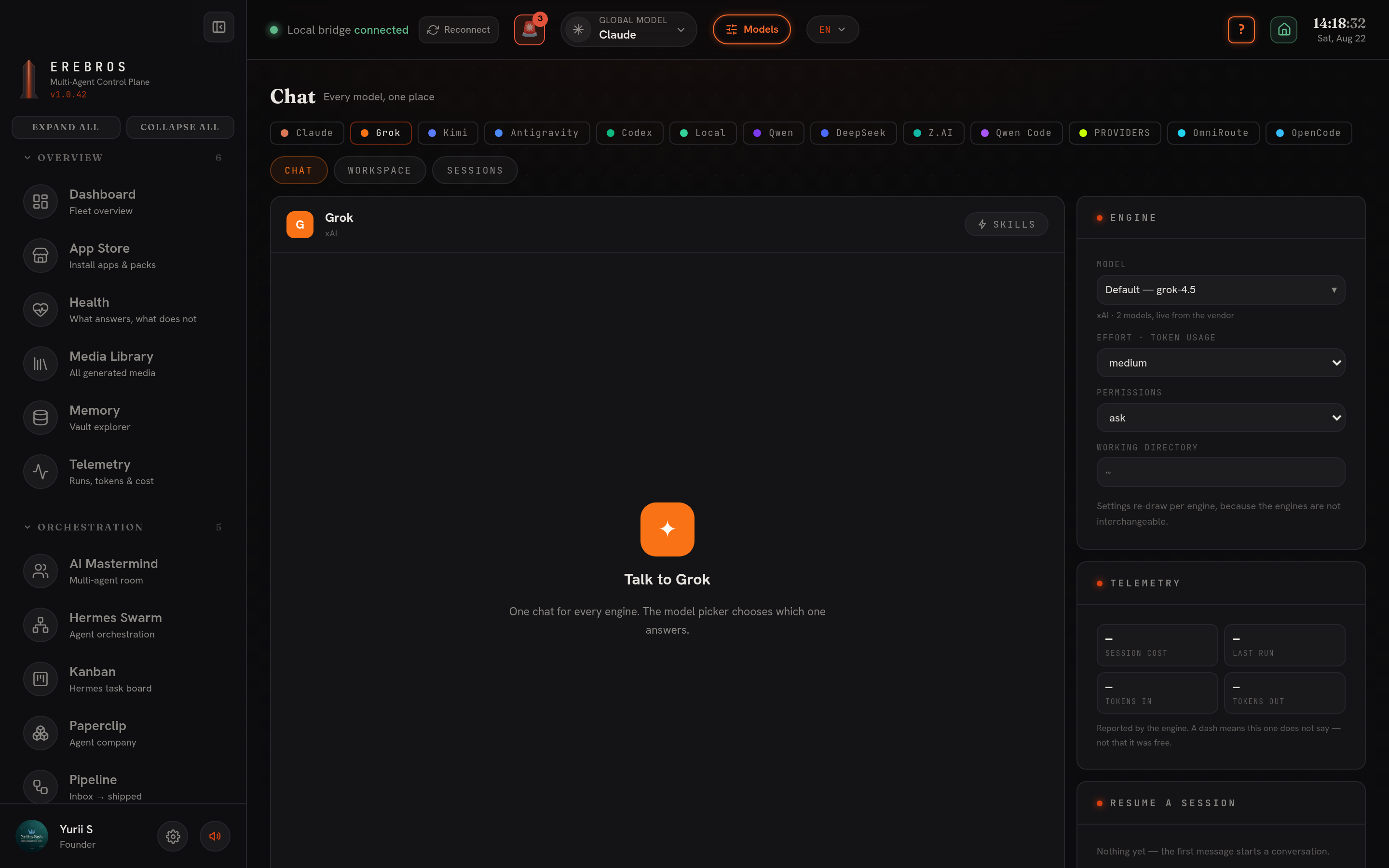
Grok is the Chat engine over xAI’s Grok Build CLI (grok -p), in
Chat, /chat?engine=grok. It is an agentic CLI like Claude and
Codex, not a chat API: it runs on this machine with tools and a working directory.
What it does
Section titled “What it does”Runs each message through the Grok CLI, streaming reasoning, tool use and the answer. It shares the Chat / History / Workspace tabs and a Settings panel with a Model list read live from the CLI (e.g. Grok 4.5), reasoning Effort, a Thinking toggle, Permissions and a Working dir. The collapsible Reasoning view shows Grok’s thoughts when thinking is on. The stream carries thought / text / end events and reports $0, Grok Build does not meter cost in its output, so Telemetry shows in/out tokens only.
Requires the grok CLI on PATH. Check with command -v grok; install with
curl -fsSL https://x.ai/cli/install.sh | bash, sign in once from a terminal, then
refresh. No .env.local key, the CLI uses its own login. Grok also sits in the
global-model switcher and in the Mastermind roster once it is found.
How to use it
Section titled “How to use it”- Pick Grok in the engine row.
- In Settings choose a model, effort and permissions; set a working directory for file work; attach Skills if you want them.
- Type and send; Stop aborts. Model, effort and permission choices are remembered between visits.
- Every run auto-saves to your Obsidian vault.
- Grok (xAI) is not Groq, the latter serves Whisper transcription in M-Forge’s Studio and is a different key.