
Z.AI
Z.AI is the Chat engine for GLM models on your z.ai account, in
Chat, /chat?engine=zai. A GLM Coding Plan subscription and
pay-as-you-go credits are two endpoints of one account, so they are one engine rather
than two entries that look like two providers.
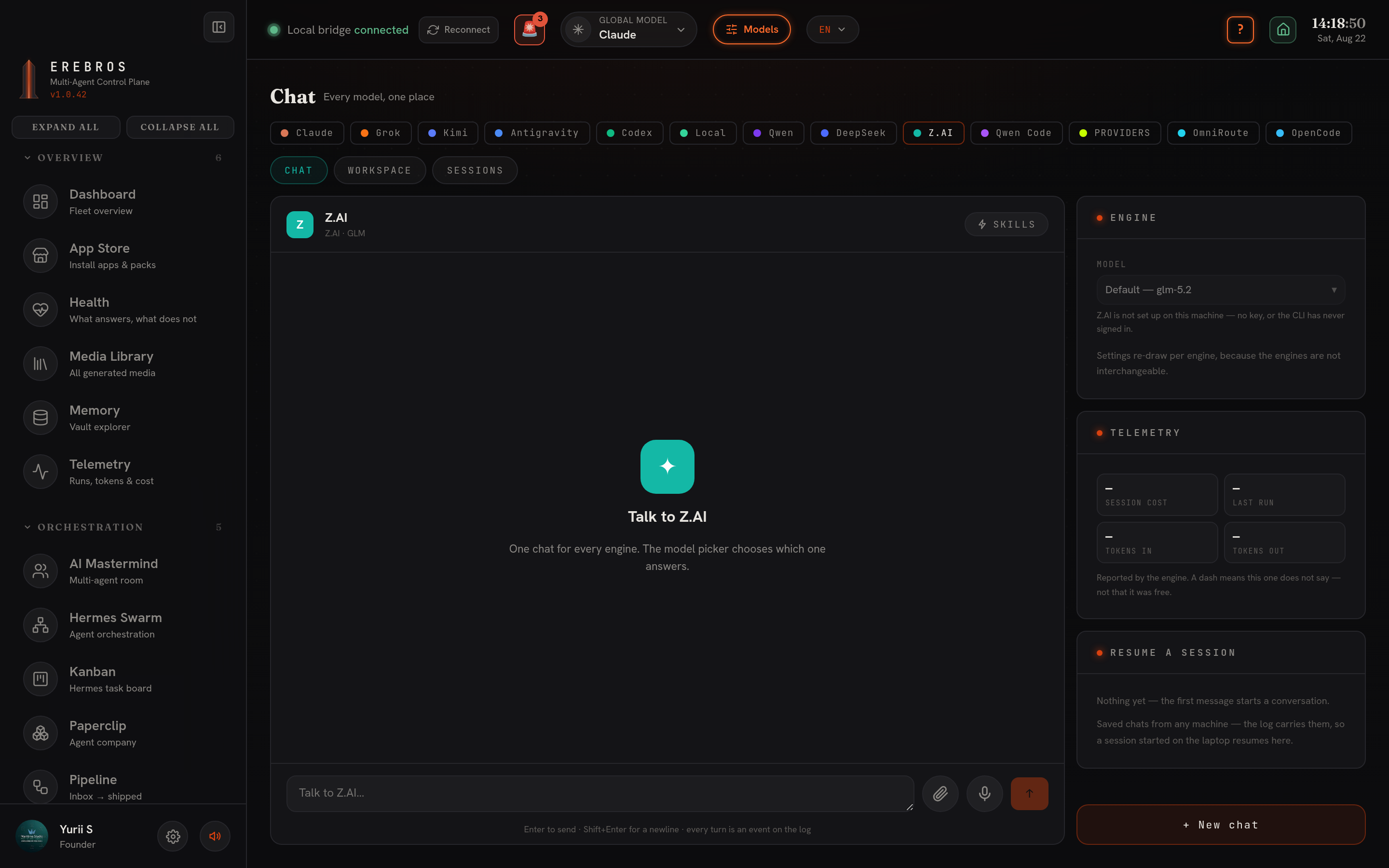
What it does
Section titled “What it does”Chats with the account’s own model list, with Temperature, Max tokens, Thinking (GLM-4.5 and newer) and Web search. It has the Chat / History / Workspace / Sessions tabs, the Skills picker and the mic. Once connected, GLM is available to every app through the global-model switcher, not just here.
There is no OAuth, z.ai publishes none for third-party apps, and no free-plan path: an API key is the one clean way in.
- Open the Account panel in the engine’s settings and click through to z.ai’s key page (a real browser tab; their sign-in page refuses embedded browsers).
- Create a new key, existing keys are masked on z.ai’s page and shown only once.
- Paste it. Erebros verifies it against the API before storing it as
ZAI_API_KEYin.env.local, where the Secrets panel can see and rotate it. Disconnect removes it.
How to use it
Section titled “How to use it”- Pick Z.AI in the engine row; the model list fills from the account.
- Set thinking and web search as needed.
- Send; the sidebar dot reads “GLM account” while a key is on disk.
- Which of the two endpoints answers is settled per request by the engine; the sidebar does not wait on a round trip to say an account is connected.
- Turns are metered in Telemetry with the API’s usage.