
Erebros Swarm
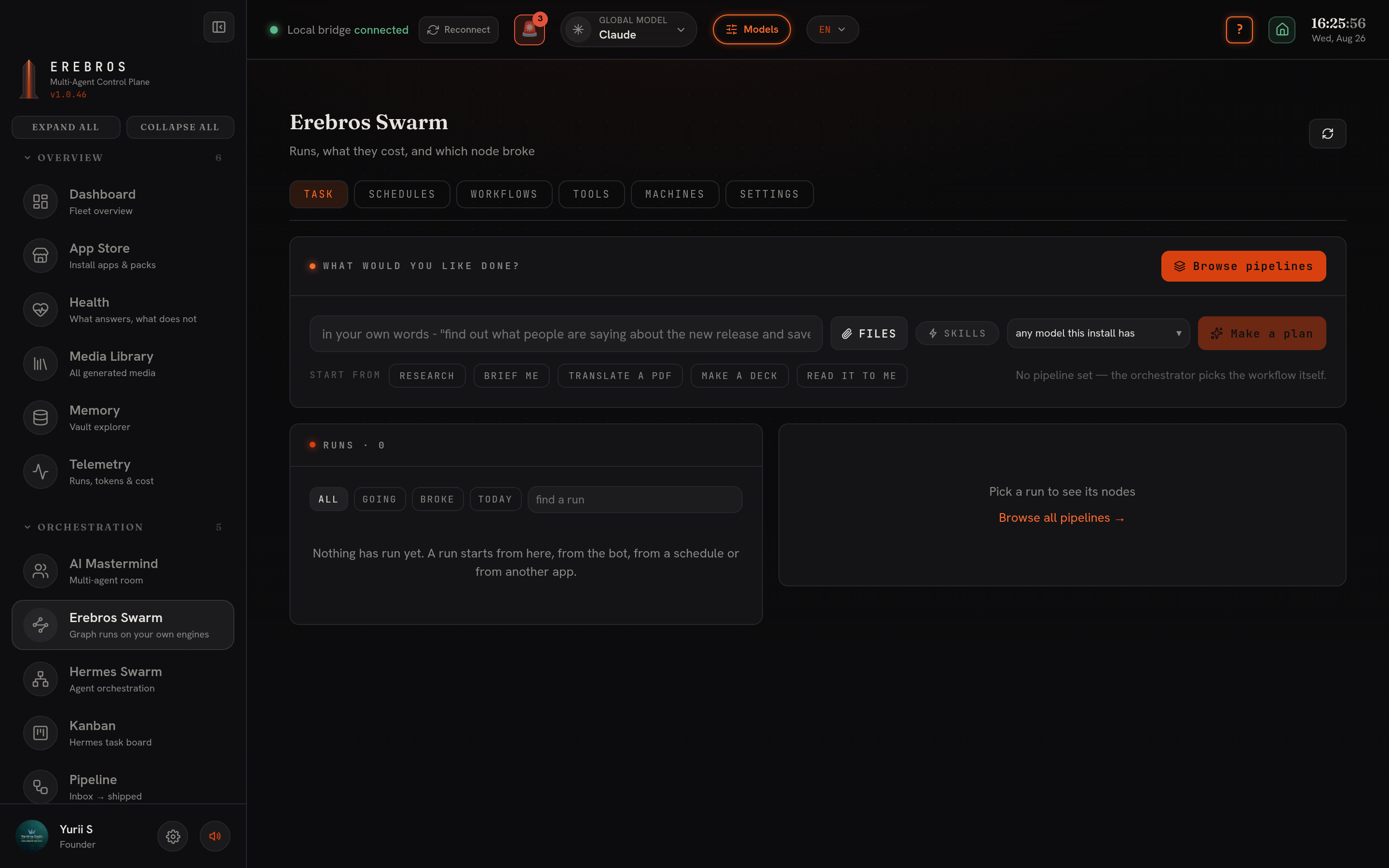
Erebros Swarm is the pipeline-catalogue orchestrator, at /swarm. Say what you want done, and it picks a workflow, dispatches the work to your bots and machines, and reports back. Every step runs on the engines you already have.
What it does
Section titled “What it does”The Task tab takes a plain request (“find out what people are saying about the new release and save it”) or a pipeline you picked from the catalogue. The orchestrator plans the steps, runs them on your own engines, and shows each run, what it cost, and which node broke. Runs also start from a schedule, from a Telegram bot, or from another app. Tabs cover Schedules, Workflows, Tools, Machines and Settings.
Pipeline categories
Section titled “Pipeline categories”The catalogue holds 636 pipelines grouped into 38 categories. Browse by category, pick a pipeline, then configure and run. The names are available in English, Russian and Ukrainian.
Core 100
Section titled “Core 100”- ◈ Personal / Everyday AI (20)
- ◈ Content / Media (15)
- ◈ Research / Knowledge (15)
- ◈ Developer / Coding (20)
- ◈ DevOps / Infrastructure (10)
- ◈ Enterprise / Governance (10)
- ◈ Maritime / Erebros-specific (10)
The full catalogue
Section titled “The full catalogue”- 🧬 Bio & Health (15)
- 🌐 Web Automation & Scraping (15)
- 📊 Business Intelligence & Market Research (15)
- 💻 Chat Interfaces & GUIs (15)
- ☁️ Cloud & DevOps (14)
- 🤖 Coding/Dev Agents (13)
- 🛎️ Customer Ops (15)
- 📊 Data Platforms (15)
- 🧮 Data Science (15)
- 🛠️ Developer Tools (15)
- 📦 Packages (15)
- 💰 Finance & Fintech (15)
- 🎯 Marketing (15)
- 🎥 Media & Podcasts (15)
- 🤖 Robotics & Embodied AI (15)
- 📚 RAG & Document Processing (15)
- 🔬 Research Agents (11)
- 🛡️ Cybersecurity (13)
- 🌍 Sustainability (15)
- 📋 Templates & Starters (15)
- 🏢 Workplace & Productivity (15)
- 📚 Learning Resources (15)
- 📖 Additional Resources (15)
- 👥 Communities (15)
- 🤝 Contributing (15)
- 🙏 Acknowledgments (15)
- ⚙ Engineering (20)
- ⚙ Electrical Engineering (20)
- 🎮 Game Development (40)
- 🧊 3D Models & Spatial (60)
- 🧑💻 Development / Web (15)
How a run works
Section titled “How a run works”- Browse the categories and pick one, or search across all of them.
- Pick a pipeline to see what it does, step by step.
- Configure and run, and the orchestrator does the rest, on your own engines.
Bots, machines and schedules
Section titled “Bots, machines and schedules”A bot per category answers on Telegram in the language it is asked. Machines let a run reach other nodes you own. Schedules run a pipeline on a clock. Approvals hold a run at a step that needs a person.